Overview
The Häfele eCommerce API is the interface between external systems and the Häfele systems. This API is documented using OpenAPI 3.0.
With this API you will be able to query product information, net prices, availabilities, place orders, and retrieve corresponding shipment information.
The API uses JSON as the data format for data interchange.
This documentation provides the available endpoints, implementation examples, and code snippets that can be copied for faster integration.
Cross-Origin Resource Sharing
This API features Cross-Origin Resource Sharing (CORS) implemented in compliance with the [W3C CORSww.w3.org/TR/cors/.
CORS support is necessary to make calls from the request maker within the API documentation.
🔴 Prerequisites for Use
If you have knowledge of JSON and REST, implementing this REST API should be straightforward.
You need software (e.g. an ERP system) that is capable of sending and receiving HTTP JSON requests.
Your software must authenticate itself using the API key assigned to it in the request header for each call to the Häfele gateway.
Additionally, Häfele customer credentials are required for authentication. These are the same credentials used for the Häfele webshop, together with a license key that can be obtained from your Häfele Sales Representative.
If you choose to connect your ERP system using the API, a typical architecture might look like this:
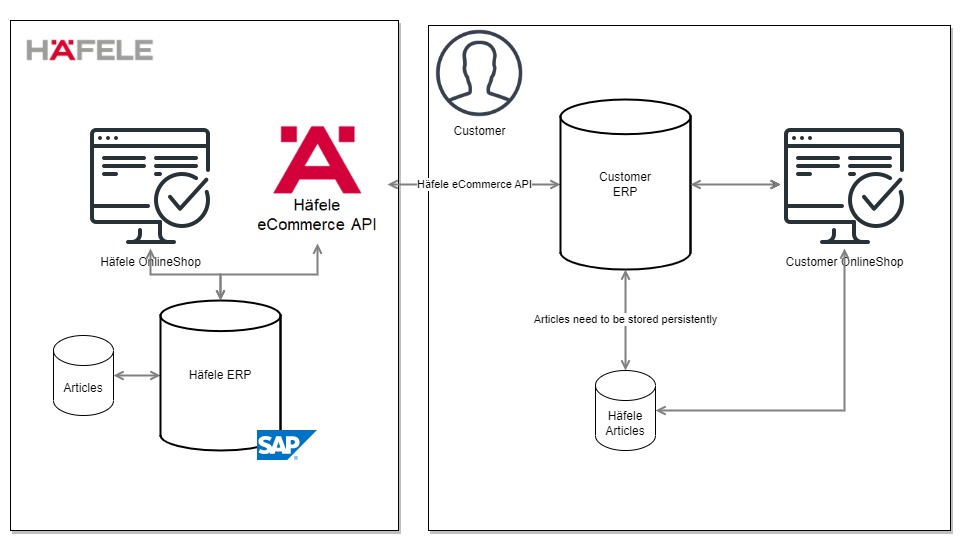
In this scenario, Häfele articles are stored within your own systems. Based on this data, orders can then be placed through the createorder endpoint.
🟥 Implementation Steps
Please take an extensive look at this documentation and its provided examples. Common requests are outlined in the following sections.
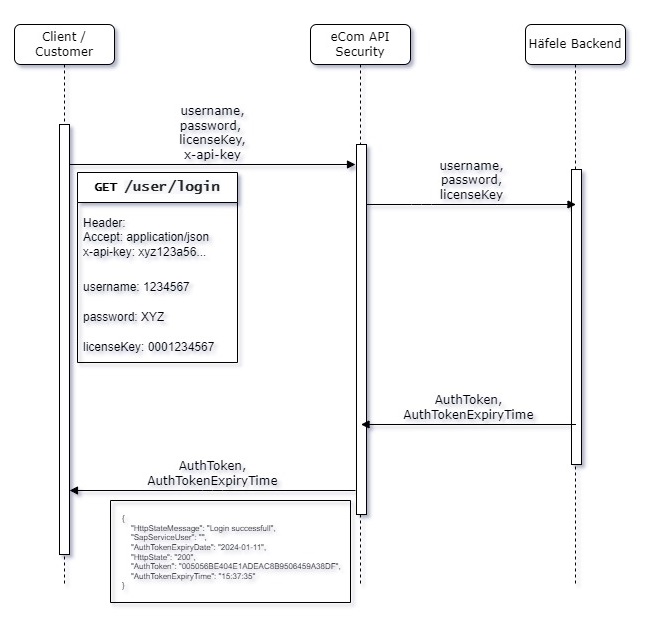
🔴 Login and Using Tokens
- Use endpoint
/user/loginwith your Häfele customer username, password, and requestedlicenseKey. - The JSON response contains an
AuthTokenvalue (e.g.005056BE404E1EDEABF48077C56D78DF). - This token must be supplied in subsequent API calls using the
authorizationKeyheader parameter. - The token is valid for 6 hours. After expiration, a new login is required to obtain a fresh token.
Example flow:
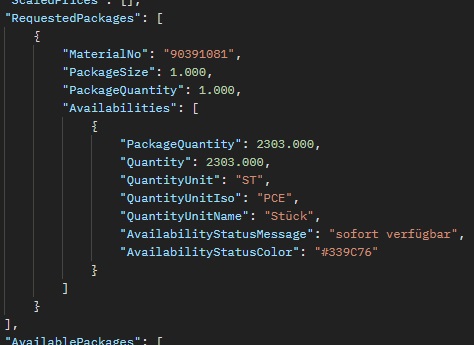
🔴 Request Stock Information
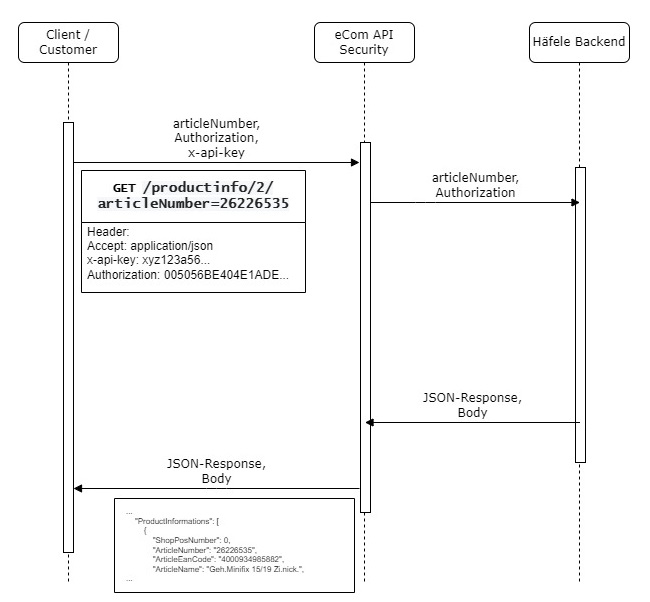
To retrieve stock information, use the /productinfo/ endpoint with either:
articleNumberorarticleEANquantity
Example:
GET https://api-shop-test.hafele.com/api/articleNumber=26226535&quantity=99999
This returns information such as:
🔴 Request Price Information
Price information can also be retrieved from the /productinfo/ endpoint response.
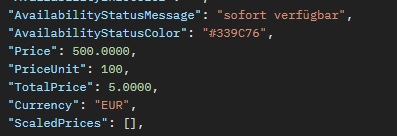
The response contains elements similar to: